How to Automate Lead Follow-Up: A Complete Guide for Businesses
Learn how to build an automated lead follow-up system using CRM workflows, segmentation, personalization, lead scoring, multiple communication channels, and sales alerts.
Learn how to build an automated lead follow-up system using CRM workflows, segmentation, personalization, lead scoring, multiple communication channels, and sales alerts.
What Is Automated Lead Follow-Up?
Automated lead follow-up is the process of using software, CRM workflows, email, SMS, AI, and other communication channels to stay in contact with prospects without requiring a sales representative to manually initiate every interaction.
A typical process might look like:
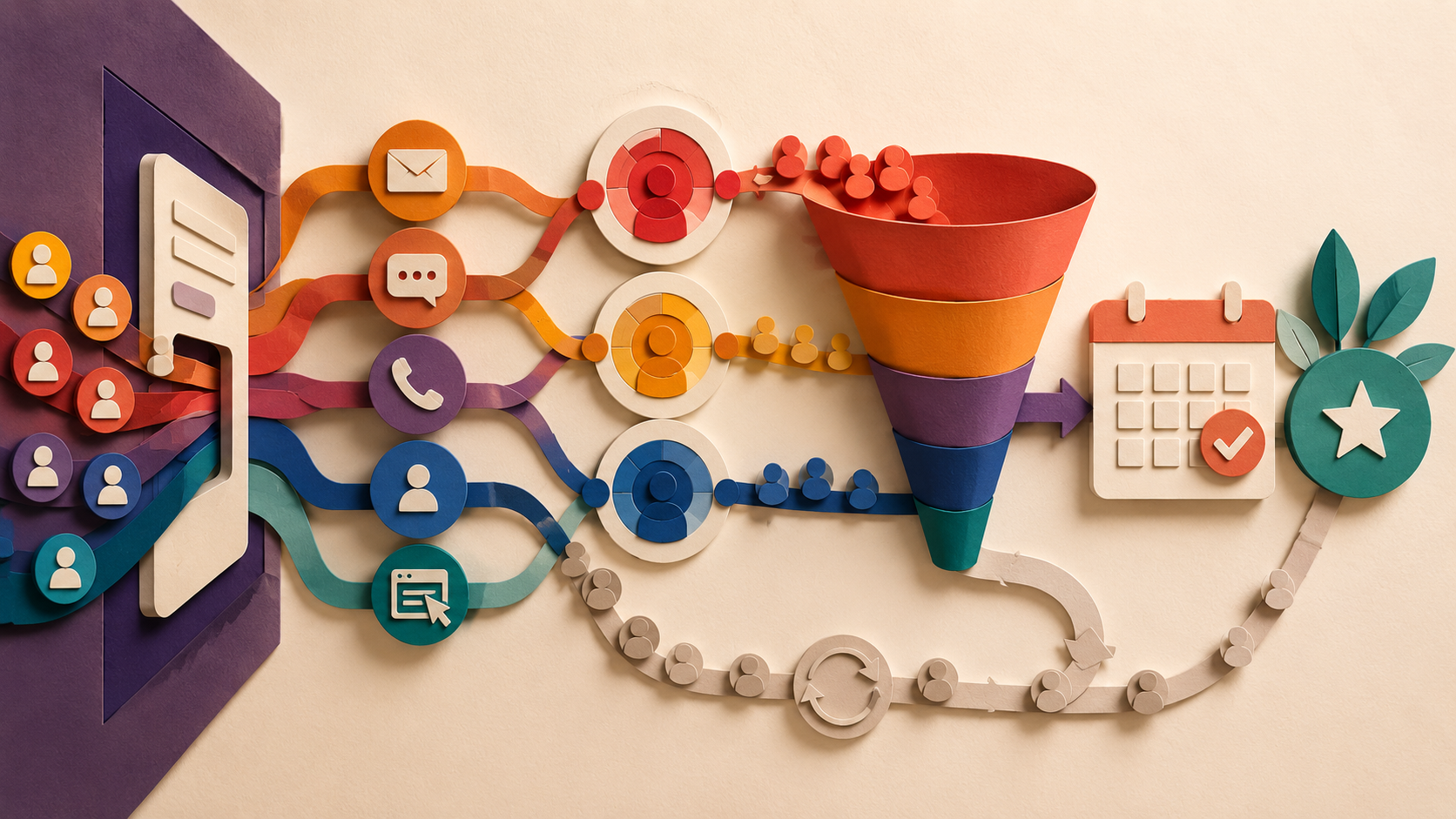
New lead enters CRM → Immediate response → Lead qualification → Follow-up sequence → Engagement tracking → Sales notification → Appointment or conversion
The goal is not to replace the salesperson.
The goal is to ensure that no qualified lead is forgotten simply because someone was busy.
Why Lead Follow-Up Matters
A lead is not necessarily ready to buy the moment they submit their information.
Some prospects want more information. Others need time to compare options. Some are interested but simply get distracted.
That means the first response should not always be treated as the final opportunity. A structured follow-up system keeps your business present throughout the decision-making process.
Without automation, several problems commonly appear:
- Leads receive slow responses.
- Salespeople forget follow-ups.
- Communication becomes inconsistent.
- Prospects receive duplicate messages.
- Opportunities disappear from the pipeline.
- Sales teams spend valuable time on repetitive administrative work.
Automation provides consistency.
The First Rule: Respond Immediately
The first stage of a lead follow-up workflow should be an immediate acknowledgment.
When a prospect submits a form, requests information, or contacts your business, the system should respond as quickly as possible.
For example: Thanks for reaching out! We've received your request and one of our team members will be in touch shortly.
This accomplishes two things. First, it confirms that the lead's information was successfully received. Second, it reassures the prospect that the business is actively responding.
The initial message does not need to sell aggressively. Its job is to establish communication.
Step 1: Capture Every Lead in Your CRM
Automation only works when your leads are organized. Every lead source should feed into your CRM whenever possible.
- Website forms
- Landing pages
- Facebook or Instagram campaigns
- Google Ads
- Phone calls
- Website chat
- Booking forms
- Lead-generation platforms
- Manual sales entries
Lead Data Capture
When a new lead enters the system, capture useful information such as name, email address, phone number, lead source, service requested, location, company, lead status, sales representative, and additional qualification information.
This allows later automation to become personalized instead of generic.
Step 2: Segment Your Leads
Not every lead should receive the same follow-up sequence. A person looking for a $500 service should not necessarily receive the same messages as someone considering a $20,000 project.
Segment leads based on information such as:
Lead Source
For example: Google Ads, Facebook Ads, Organic search, Referral, Website, Outbound campaign
Service Interest
Someone interested in SEO should receive different information from someone interested in web development.
Buying Intent
You can categorize leads as: High intent, Medium intent, Low intent, Unqualified
Lead Temperature
A simple system can use: Hot → Warm → Cold
This allows your automation to change the frequency and type of follow-up based on the prospect's behavior.
Step 3: Build a Multi-Stage Follow-Up Sequence
One of the biggest mistakes businesses make is sending one automated message and stopping there. Effective lead nurturing is usually a sequence rather than a single message.
A simple example could look like:
Immediately
Send an acknowledgment message.
After 10–30 Minutes
Send useful information related to the lead's request.
Day 1
Follow up and provide another relevant resource.
Day 2–3
Share a case study, testimonial, or explanation of your process.
Day 5
Ask a direct question or encourage the prospect to book a call.
Day 7
Send a final check-in.
Follow up consistently without becoming intrusive.
Step 4: Combine Multiple Communication Channels
Email alone is often not enough. Modern lead follow-up systems can combine different channels based on the type of business and the prospect's preferences.
Email is useful for: Educational content, case studies, proposals, detailed explanations, nurture sequences
SMS
SMS is particularly useful for: Immediate confirmations, appointment reminders, short follow-ups, time-sensitive communication
For example: Hi John, just checking in regarding your request. Would you like to schedule a quick call this week?
Phone Calls
Automated systems can also notify salespeople when a lead reaches a specific qualification threshold.
For example: Lead submits form → qualifies as high intent → sales representative receives notification
Live Chat
Website conversations can also trigger automated lead qualification and routing.
The objective is not to contact someone everywhere at once. The objective is to use the right channel at the right stage.
Step 5: Personalize the Messages
Automation becomes ineffective when every prospect receives the same generic message. Instead, use CRM information to personalize communication.
For example: Hi {{contact.first_name}}, thanks for reaching out about {{service}}.
You can also personalize based on: Company name, service interest, location, lead source, previous interaction, appointment status
Even simple personalization makes automated communication feel significantly more relevant.
Step 6: Add Lead Qualification
Not every lead deserves the same amount of sales attention. Lead qualification helps determine which prospects should be contacted immediately and which can remain in a nurture sequence.
You can qualify leads using criteria such as: Budget, timeline, service interest, company size, location, business type, specific pain point, engagement level
- High-quality lead → Notify salesperson immediately
- Medium-quality lead → Add to nurture sequence
- Low-quality lead → Send educational content and monitor engagement
This allows the sales team to focus its time where it is most likely to produce revenue.
Step 7: Use Lead Scoring
Lead scoring can make qualification even more powerful. Assign points based on actions.
| Lead Action | Example Score |
|---|---|
| Opens email | +1 |
| Clicks an email | +3 |
| Visits pricing page | +5 |
| Watches a product video | +5 |
| Replies to SMS | +10 |
| Books an appointment | +20 |
Triggering Sales Notifications
Once the lead reaches a predefined score, trigger a sales notification.
For example: Lead score reaches 30 → Move opportunity to "Hot Lead" → Notify sales representative → Create follow-up task
This turns lead follow-up into a measurable process.
Step 8: Stop Automation When the Lead Converts
Automation should know when to stop. This is one of the most important parts of a good workflow.
Imagine a prospect receives five follow-up messages and books an appointment on the second one. The remaining messages should not continue sending as though nothing happened.
Create exit conditions such as: Appointment booked, Lead replies, Deal created, Opportunity won, Opportunity lost, Contact requests no further communication
For example: Lead books appointment → Remove from nurture sequence → Start appointment reminder workflow
This keeps the customer experience clean and professional.
Step 9: Create Different Paths Based on Behavior
A strong automation system responds to what the prospect actually does. Suppose a lead receives an email.
If They Click
Send additional information related to the topic.
If They Reply
Notify the sales team and stop the automated nurture sequence.
If They Book a Call
Move them into an appointment workflow.
If They Do Nothing
Continue the nurture sequence at a lower frequency.
This creates a dynamic system rather than a rigid series of messages.
Step 10: Add Sales Team Notifications
Automation should not operate in isolation from your sales team. When a lead becomes highly engaged, the salesperson should know immediately.
A notification might say:
🔥 Hot Lead Alert John Smith just replied to your follow-up sequence and requested pricing information. Lead source: Google Ads Service: Website Development
The salesperson now has the context needed to have a better conversation.
Step 11: Build a Re-Engagement Workflow
Not every lead will convert immediately. Some prospects become inactive after showing strong interest. Instead of permanently abandoning them, move them into a re-engagement sequence.
- 30 days inactive → Send a helpful resource
- 45 days inactive → Send a case study
- 60 days inactive → Ask whether they are still considering the service
- 90 days inactive → Move to long-term nurture
This creates additional opportunities without requiring manual follow-up.
Example Automated Lead Follow-Up Workflow
Here is a practical workflow for a service-based business:
- Lead submits website form
- Create/update CRM contact
- Apply lead source tag
- Create opportunity
- Send immediate email
- Send SMS acknowledgment
- Wait 30 minutes
- Check whether lead replied — Yes: Notify salesperson + stop nurture / No: Continue
- Wait until next day
- Send educational email
- Wait 1 day
- Check engagement — If engaged: Increase lead score / If score reaches threshold: Notify sales
- Otherwise: Continue nurture
- Day 5 → Case study/testimonial
- Day 7 → Booking CTA
- No engagement → Long-term nurture
This structure can be implemented using a CRM and workflow automation platform.
Common Mistakes to Avoid
Sending Too Many Messages
Automation does not mean sending messages constantly. Too many messages can frustrate prospects and damage your brand.
Using Generic Templates
A message that could have been sent to anyone usually feels like an automated message. Use the information you already have to create more relevant communication.
Ignoring Replies
Never build a system that continues sending automated messages after a prospect has already started a real conversation. A reply should usually trigger an immediate change in the workflow.
Forgetting to Update the CRM
Automation should update contact and pipeline information continuously. Otherwise, your CRM becomes unreliable.
Never Testing the Workflow
Always test your automations using multiple scenarios. Test what happens when: A lead does not respond, A lead replies immediately, A lead books an appointment, A lead cancels, A lead becomes unqualified, A salesperson manually updates the opportunity
A workflow that works in the ideal scenario but fails in edge cases can create serious problems.
How to Measure Lead Follow-Up Automation
Once your system is live, monitor its performance. Important metrics include:
Speed to Lead
How quickly does the first response happen after a lead arrives?
Contact Rate
How many leads actually respond?
Appointment Rate
How many qualified leads schedule calls?
Conversion Rate
How many leads eventually become customers?
Response Rate
Which messages generate replies?
Lead-to-Customer Time
How long does it take a new lead to become a customer?
Revenue by Lead Source
Which channels produce the highest-value customers?
These metrics help you improve the automation instead of simply assuming it works.
Final Thoughts
Lead follow-up should not depend on someone's memory.
A scalable sales process needs to respond quickly, communicate consistently, understand lead behavior, and involve a human salesperson at the right moment.
The most effective system combines: Immediate response + CRM organization + segmentation + multi-step nurturing + personalization + lead scoring + behavioral automation + sales alerts + clear exit conditions.
The goal is not to automate the relationship with your prospects.
The goal is to automate the repetitive work around that relationship so your sales team can focus on conversations that actually require a human.
When implemented correctly, automated lead follow-up can turn a basic lead-generation system into a complete sales pipeline—one where opportunities are followed up consistently, salespeople know which leads deserve attention, and fewer potential customers fall through the cracks.
Related Articles

How AI Voice Agents Can Help Your Business Get More Leads, Book More Appointments, and Save Time

Which Platform Should Your Business Use? A Practical Guide to GoHighLevel, WordPress, Webflow, and Wix